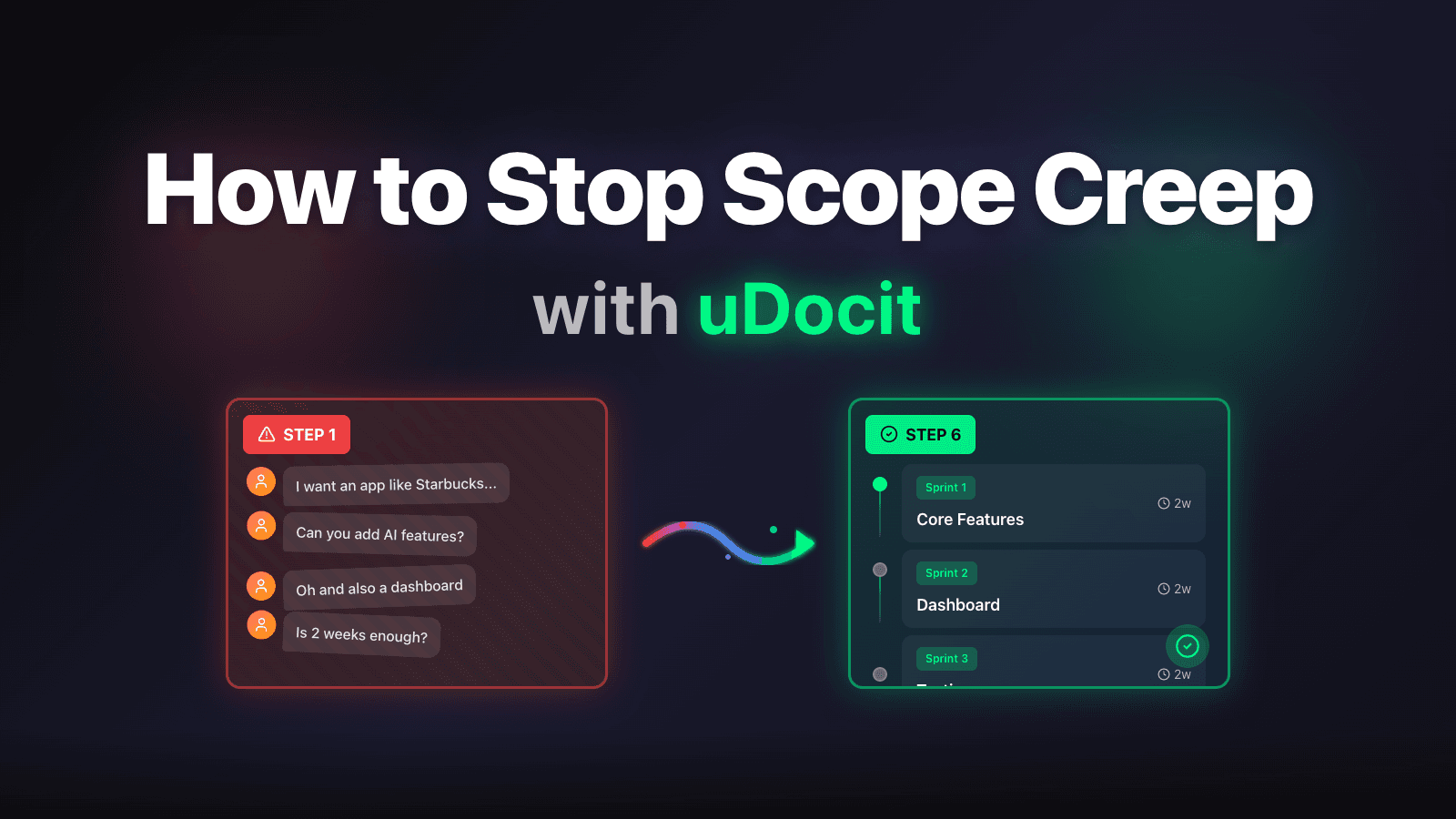
Scope Defense Strategy for Freelancers
Learn how to transform vague client requests into clear project scope and prevent scope creep before it happens.
|
Does This Sound Familiar?
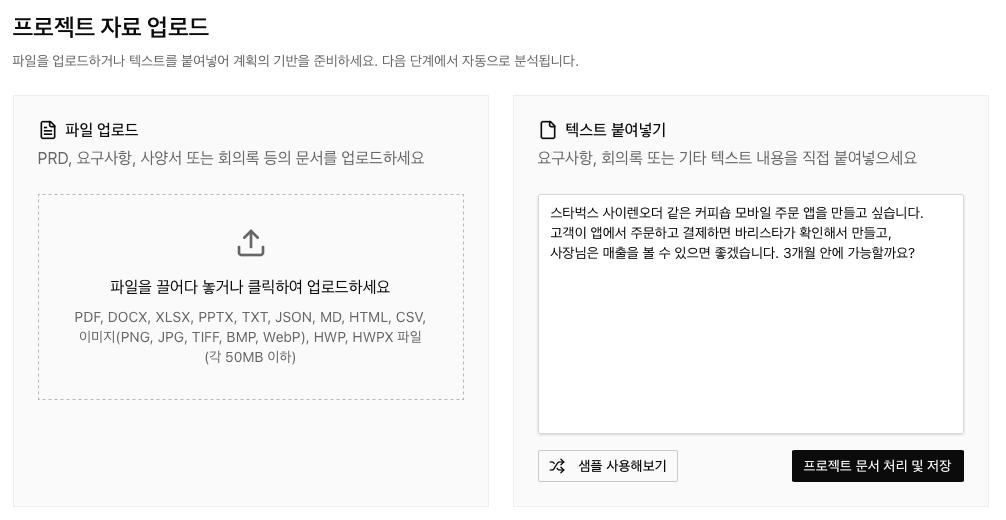
"I want to make a coffee shop mobile ordering app like Starbucks Siren Order. Customers order and pay through the app, the barista checks and makes it, and the owner can see the sales. Can you do it in 3 months?"
If you're a freelancer, this is the moment your heart sinks.
It looks simple on the surface. Order, payment, sales dashboard. Just three sentences.
But experienced developers already know:
- Behind "payment" lurks PG integration, security authentication, and refund policies
- "Barista checks" means real-time notifications, status management, and sold-out handling
- "3 months" might be expecting iOS + Android + web dashboard simultaneously
The problem is, the client doesn't know this. And that's not their fault.
What Vague Requirements Really Mean
When you input this request into uDocit, the AI immediately raises warnings:
Gate Status: BLOCK
- Gate Score: 45 points (out of 100)
- Blocking Issues: 2
- Warnings: 1
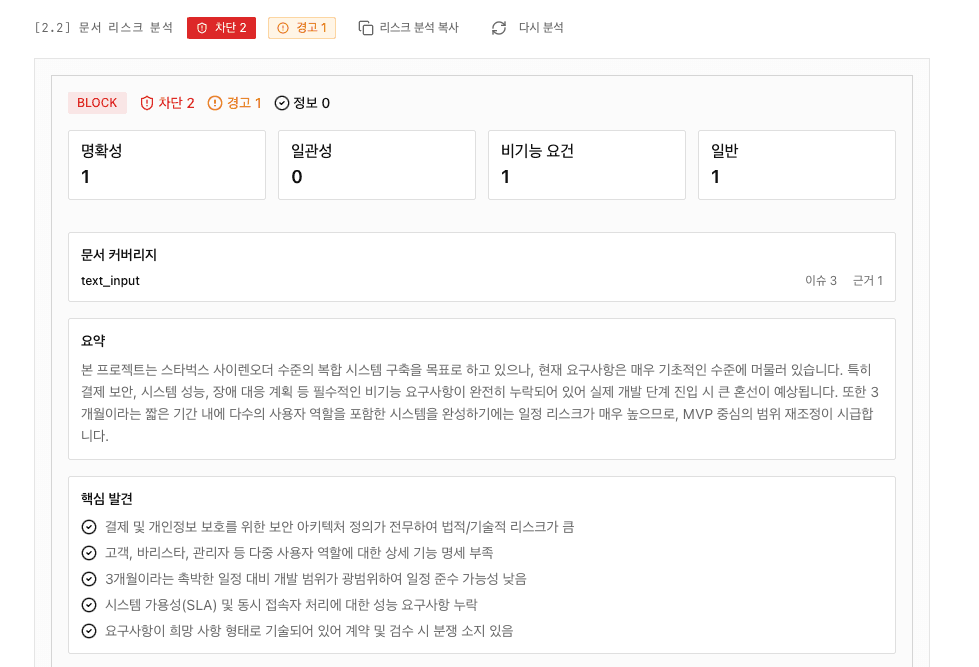
Key Risks Discovered
| Category | Issue | Severity |
|---|---|---|
| 🔴 Security | No security architecture defined for payment and personal data | BLOCK |
| 🔴 Timeline | Development scope too large for 3-month deadline | BLOCK |
| 🟡 Clarity | Vague expressions like "would like to" and "it would be nice" | WARNING |
Hidden Assumptions the AI Found
Things the client didn't say, but is definitely assuming:
- No existing POS system or backend → Increased new build costs
- PG integration is required → Timeline delay risk from approval process
- Real-time order notifications needed → Push server or WebSocket implementation required
How Three Sentences Transform
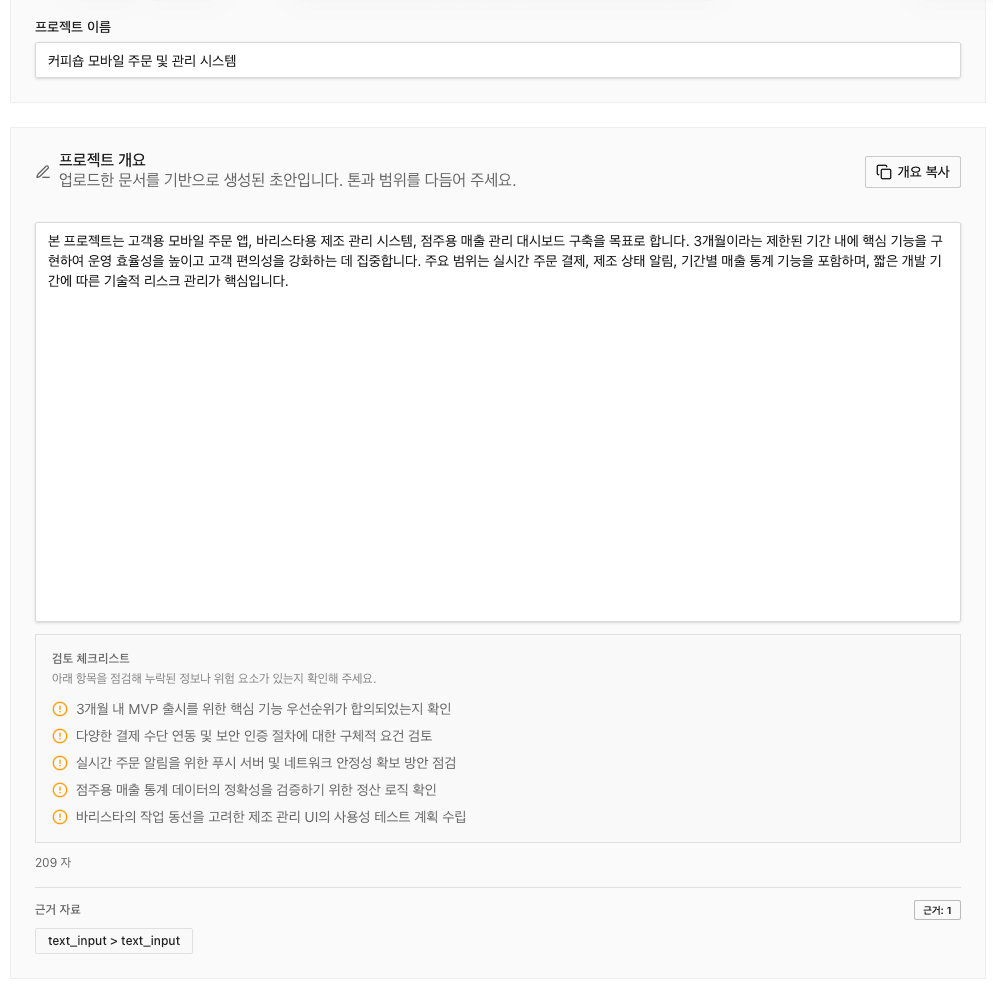
1. Project Definition
| Before | After |
|---|---|
| "An app like Starbucks" | Coffee Shop Mobile Ordering & Management System |
| Unclear scope | Customer app + Barista order management + Owner dashboard |
| Vague expectations | Real-time ordering/payment, order status notifications, period-based sales statistics |
2. User Types: From "Users" to Specific Personas
One "user" splits into 3 completely different personas:
Auto-Generated Personas
| Persona | Role | Core Goal | Tech Proficiency |
|---|---|---|---|
| Kim Jisoo | Busy office worker (Customer) | Pick up coffee without waiting | High |
| Lee Minho | Senior Barista | Handle rush orders without missing any | Medium |
| Park Younghee | Indie cafe owner | Analyze sales by menu, plan inventory | Low |
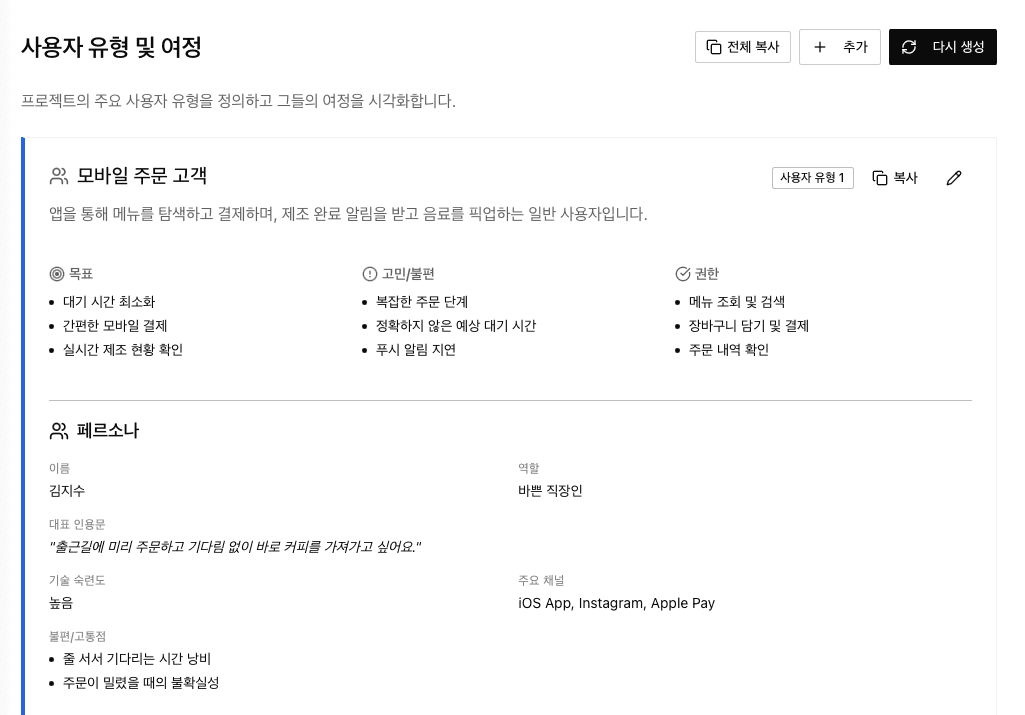
Each persona gets detailed Pain Points and User Journeys:
Kim Jisoo (Mobile Order Customer) Journey:
- Menu Selection — Open the app, select preferred store, add iced americano to cart
- One-click Payment — Complete instant payment with registered card
- Real-time Monitoring — Check brewing stage and queue number in the app
"I want to order ahead on my commute and grab my coffee without waiting."
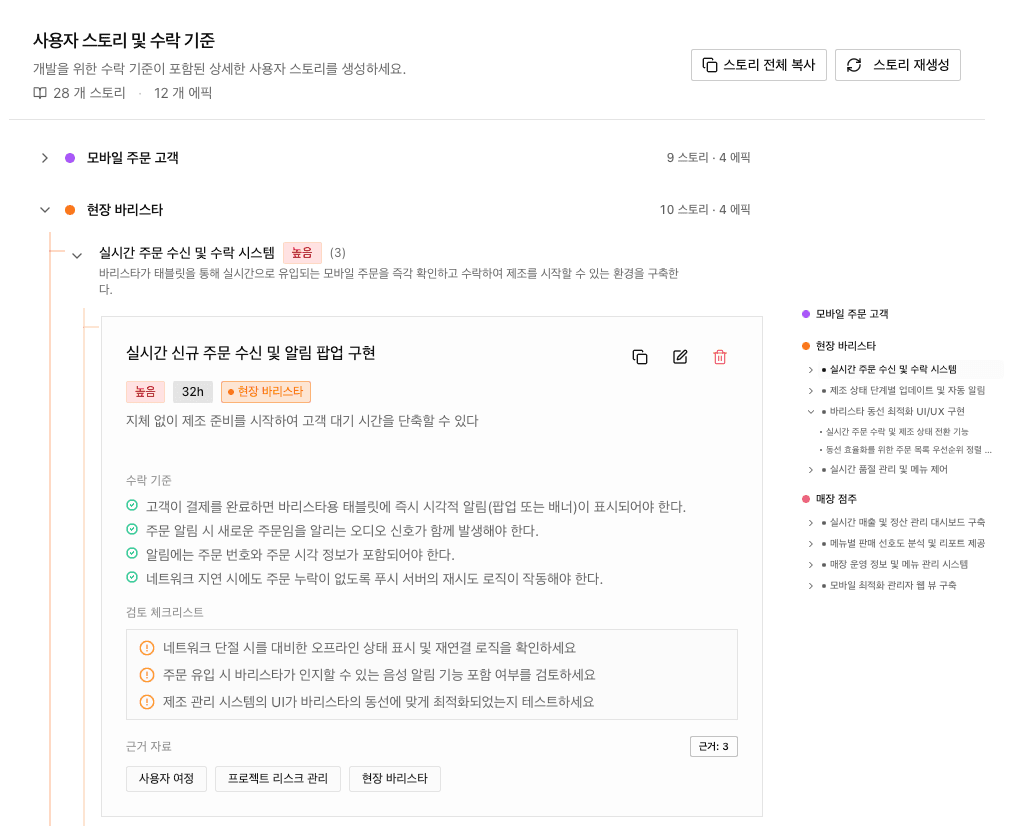
3. User Stories: From Vague to Acceptance Criteria
| Before | After |
|---|---|
| "Can view menu" | Browse menu by category with real-time availability and detailed options |
| Priority: High · Estimated effort: 32 hours |
Generated Acceptance Criteria Example:
- Must be able to select temperature (HOT/ICED), size, and personal options on menu detail page
- Total price must update in real-time based on selected options
- "Add to cart" button must be disabled when required options are not selected
- Sold-out status from barista system must reflect on menu in real-time
4. Final Scope: The Project in Numbers
Actual scope extracted from three sentences:
Project Scope Summary
| Item | Count |
|---|---|
| Epics | 14 |
| User Stories | 31 |
| Total Estimated Effort | 700+ hours |
| Realistic Timeline | 16 weeks (4 months) |
Timeline: The Answer to "Can You Do It in 3 Months?"
AI-generated timeline with 9 milestones:
| Phase | Duration | Key Activities |
|---|---|---|
| 1. Basic Ordering & Payment | 2 weeks | Menu browsing, one-click payment core features |
| 2. Order Reception & Status | 2 weeks | Barista order acceptance, real-time status updates |
| 3. Pickup Alerts & Completion | 2 weeks | Brewing complete push notifications, pickup queue management |
| 4. Real-time Inventory & Sold-out | 1 week | Menu/option sold-out real-time control |
| 5. Sales Dashboard Foundation | 2 weeks | Period-based sales statistics visualization |
| 6. Settlement Verification | 2 weeks | PG data reconciliation, integrity checks |
| 7. Popular Menu Analytics | 2 weeks | Sales preference analysis, Excel/PDF export |
| 8. Operations Optimization | 1.5 weeks | Peak time analysis, operating hours management |
| 9. Menu & Options Enhancement | 1 week | Price change management, option-level sold-out |
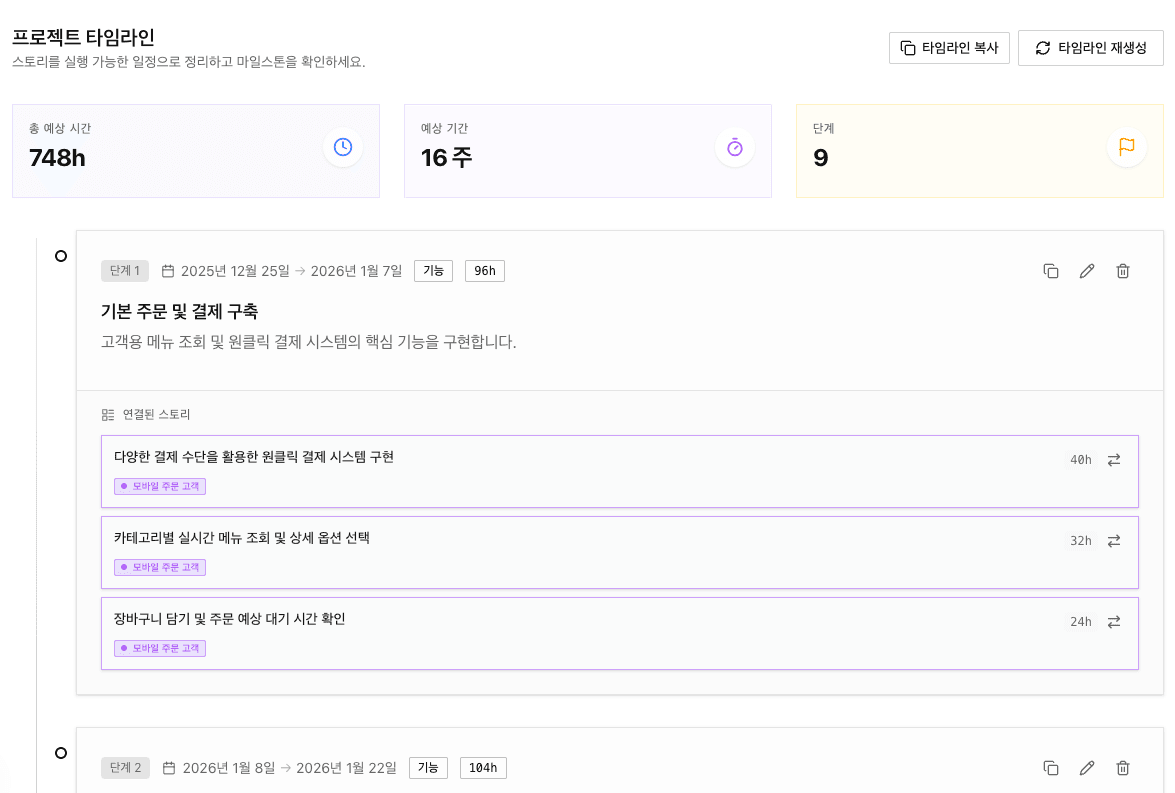
Conclusion: 12 weeks (3 months) is not enough. Minimum 16 weeks (4 months) needed.
Why Does This Matter?
When you show this analysis before signing the contract:
Handle Scope Requests
"Can you add KakaoTalk notifications too?"
→ "Push notifications are included in the current scope, but KakaoTalk notifications are a separate feature. Adding it requires 2 additional weeks."
Justify Your Quote
"Why is this so expensive?"
→ "It's based on 700 hours estimated from 31 user stories. Here's the acceptance criteria list."
Prevent Disputes
"This isn't complete!"
→ "We determine completion by acceptance criteria. Let's review the checklist."
Try It Yourself
When you get a client request, don't quote immediately.
Invest 5 minutes to define scope first.
See how three vague sentences transform into a clear project definition.